







Unique Perspectives
Point-It! Joystick Mouse
PPJ-S-BT
Also see Onpoint Joystick Mouse
$47,351.00
-
Designed by the Disabled
for the Disabled -
100% Satisfaction
Guarantee -
Lowest Cost Shipping
Quoted in Cart
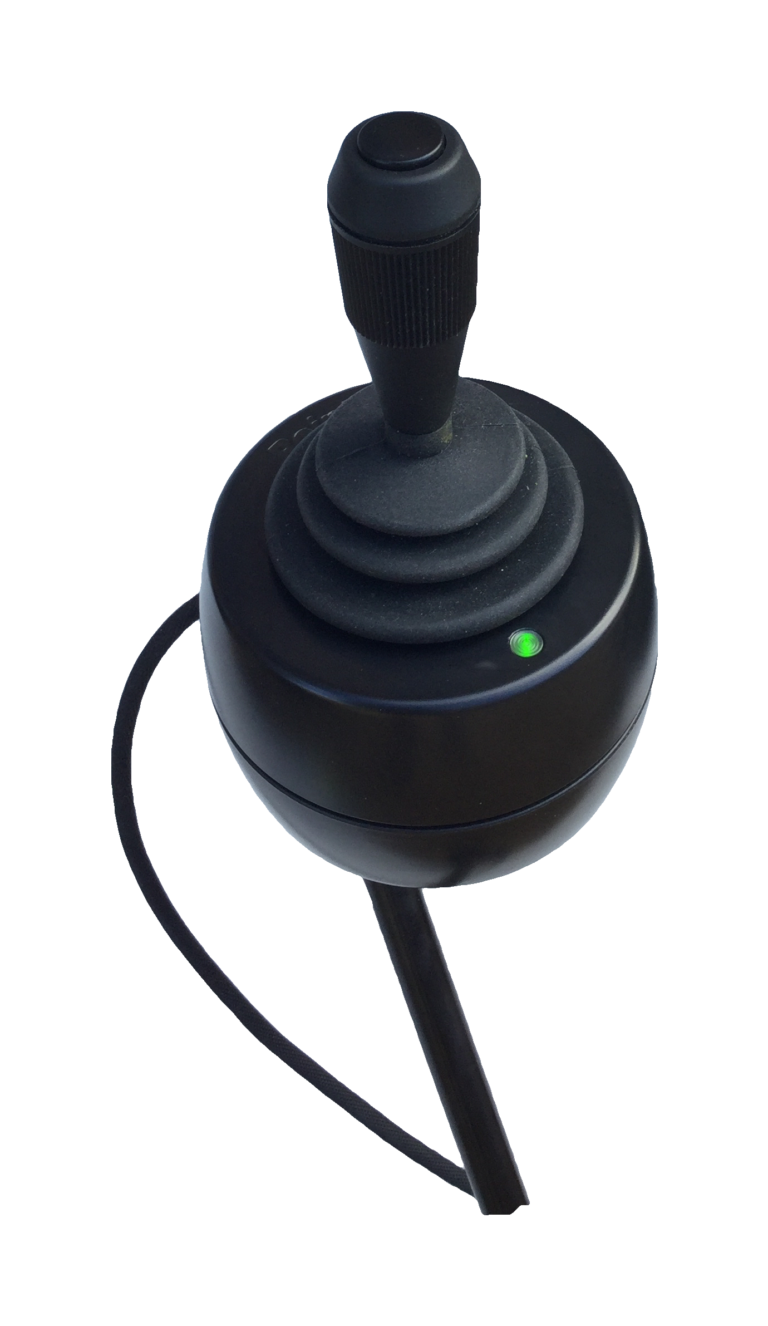
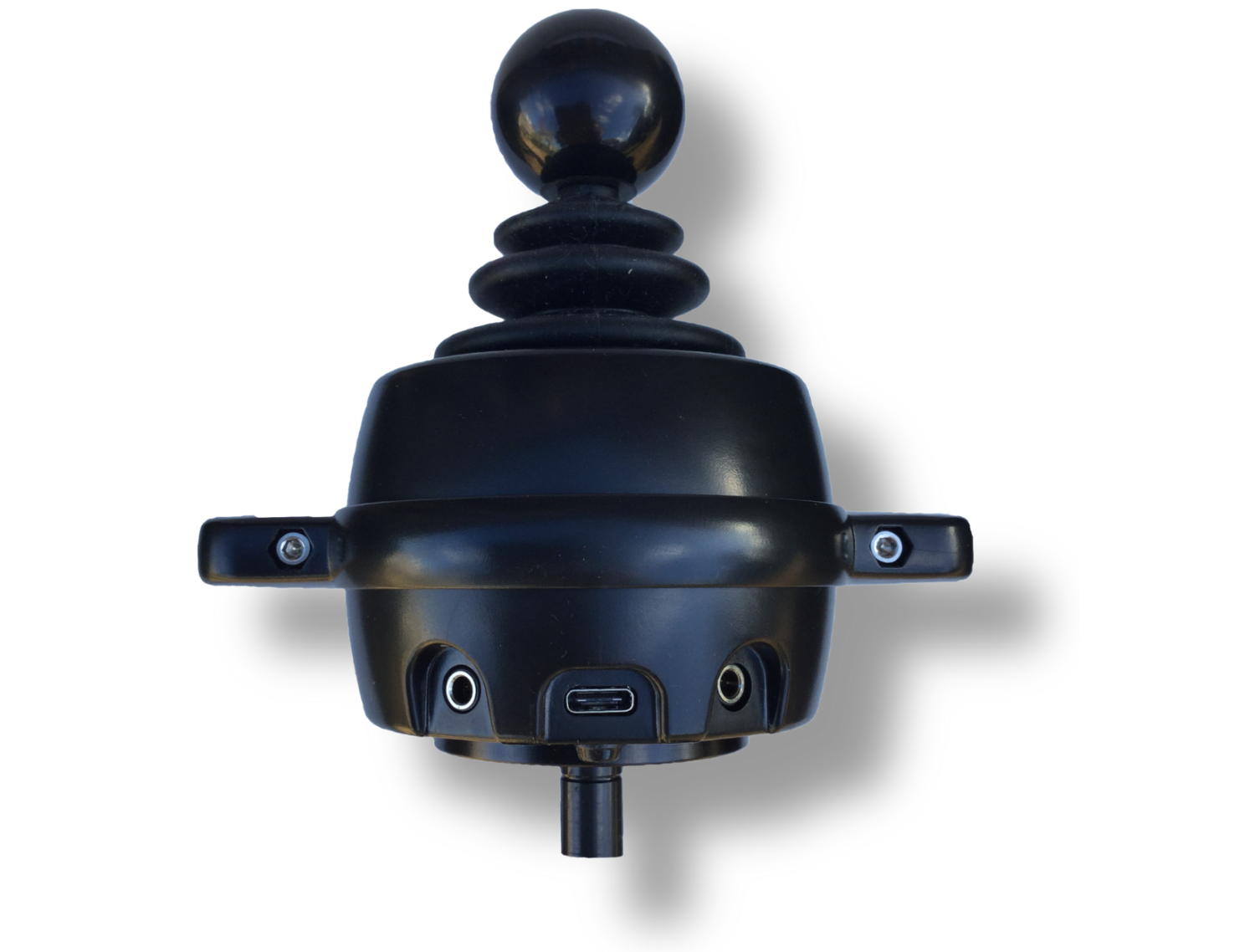
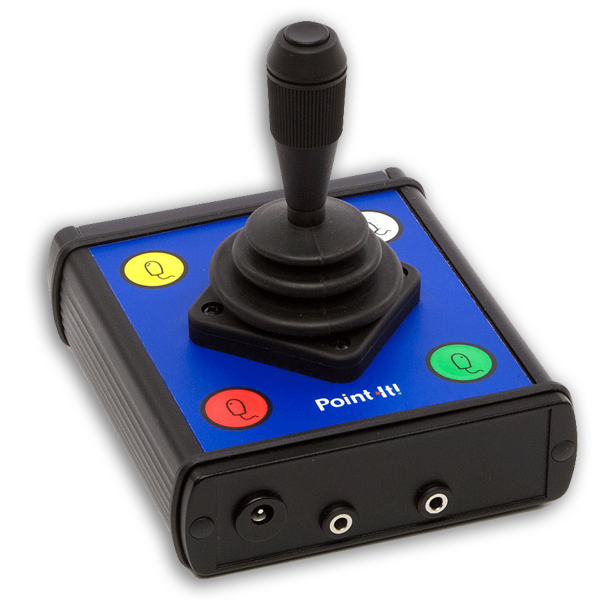
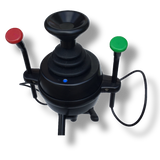
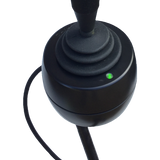
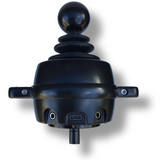
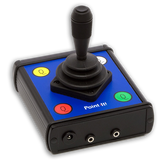
The attractive, rugged joystick is an extremely high-quality non-contacting type found on powered wheelchairs and is available in a choice of top push-button that operates as a left mouse click or with a removable black ball that can be replaced by 5 optional knobs.
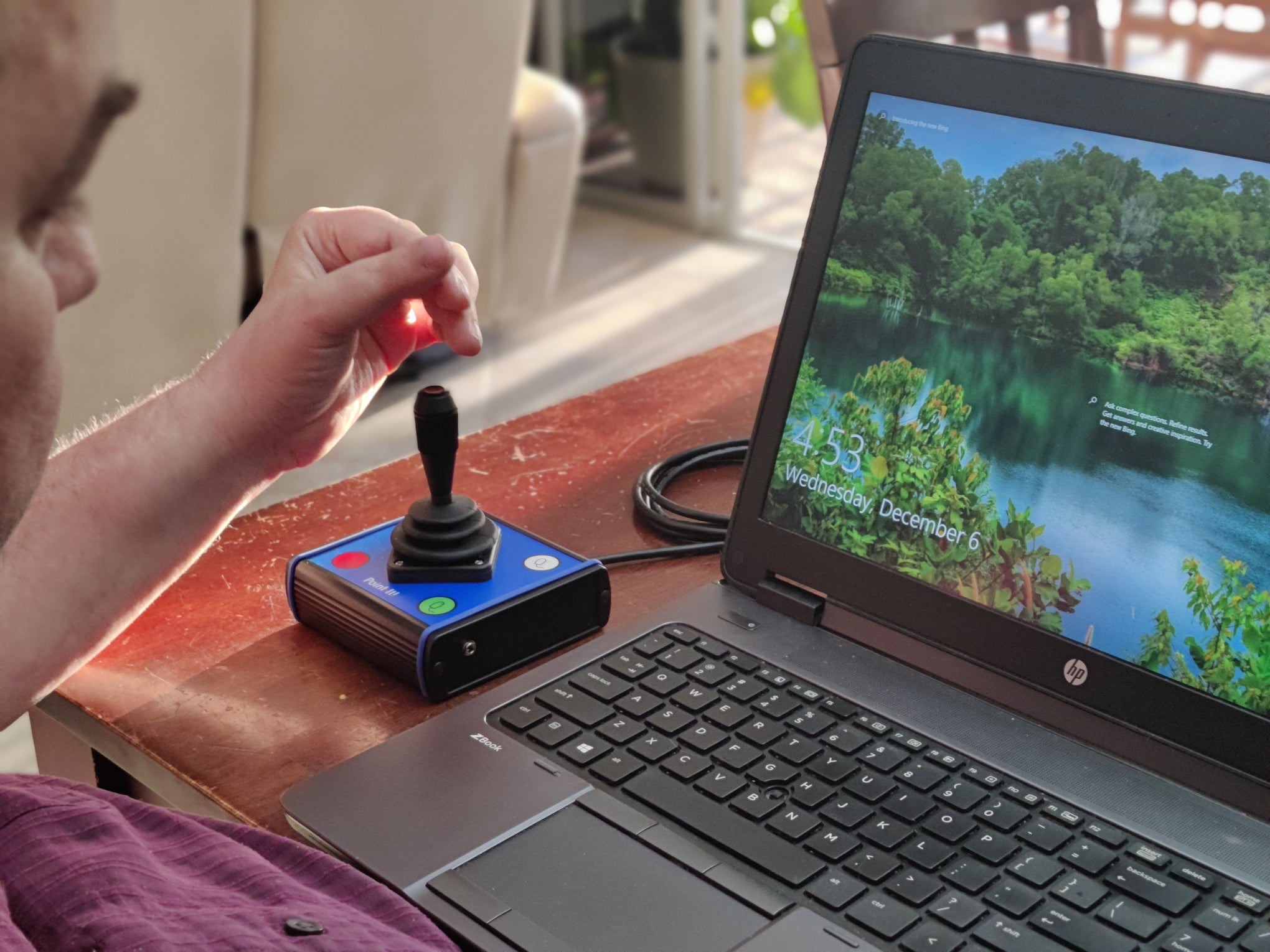
Point-it is designed for disabled individuals who have limited or no hand dexterity. It can be operated with the palm of the hand not requiring any finger function, or with a chin.
For most disabled individuals, mounting and positioning can be critical to success. The classic version can simply sit on a desktop. The Point-It! Pro has threaded mounting points in its base, so it can be attached to a Stiff Arm Mount or Robo Arm Mount and positioned effectively for hand or chin, or mouth control. It can be mounted on the edge of a desk to extend alongside the user's own power wheelchair joystick controls or wheelchair armrest close to a user or operated on a desktop.
Inclusive is an authorized dealer distributor with permission and capabilities to service and repair in the United States without having to ship back to Europe. Though this has only ever occurred once! These are very reliable!
| Point-It Pro | Point-It Classic | On-Point Big Button | |
| User Manual | User Manual | User Manual | |
| Compatibility | PC, MAC, Android or iOS v13+ | PC, MAC, Android or iOS v13+ | PC, MAC, Android or iOS v13+ |
| Connectivity | Wireless Bluetooth or USB | Wireless Bluetooth or USB | Wireless Bluetooth or USB |
| Built-in buttons | 1 on Joystick Top or none | 1 on Joystick Top & 4 Membrane on face | 3 Large Arcade or 2 on Flightstick |
| Ability Switch Jacks | 2 - Left + Right Click | 2 - Left + Right Click | No --- Optional 3 Lt, Rt, Mid |
| Switch between PC/Mac, Smartphone, Tablet, or Smart TV | Up to 8 Devices | Turn off 1st device to connect to 2nd | Up to 8 Devices with External Switchbox |
| Li-Polymer Battery | 6 hours of constant use | Optional Internal 24hr+ | |
| Dimensions | 3" x 4.5" x 4.5" (75 x 115 x 115 mm) |
4.5" x 4.2" x 5" (115 x 105 x 127mm) |
4.5" x 4.5" x 5" (114x114x127mm) |
| Positioning | Mount for Mouth, Chin or Hand with 2 M4 Screws | Mount for Mouth, Chin or Hand with 2 M4 Screws | Mount with adhesive velcro or double-face tape |
Buttons and Ability Switches
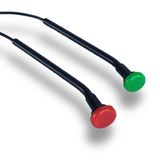
Both Pro or Classic support 2 external Ability Switches - left-click and right-click. On Pro, left-click can alternatively be programmed as drag, middle-click, or double-click. Pro right-click can alternatively switch between up to 8 devices in smart mode or change mouse speeds.
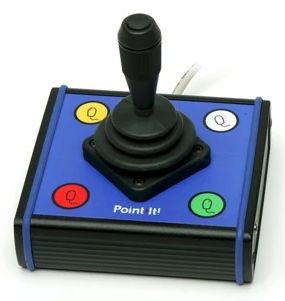
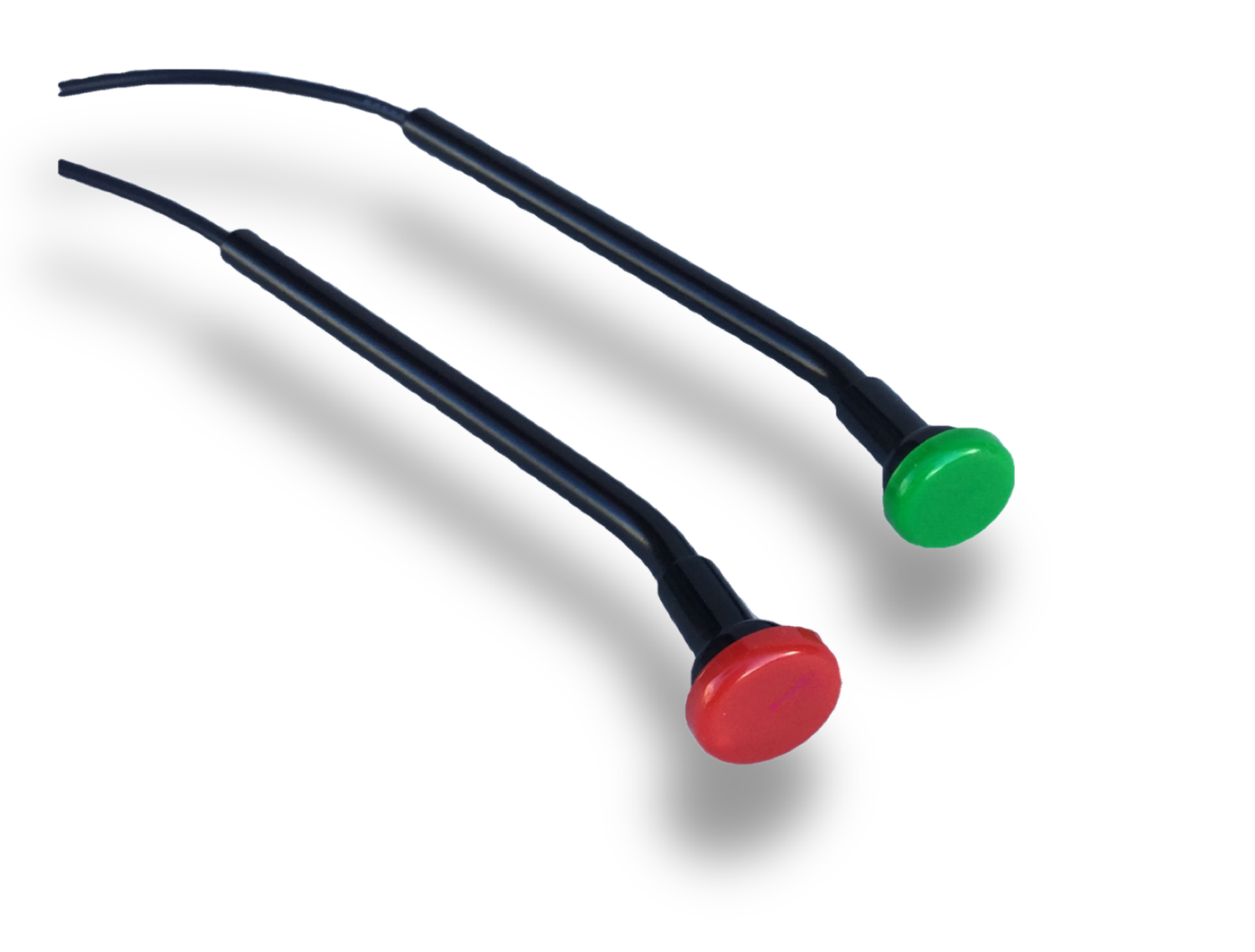
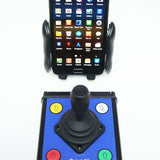
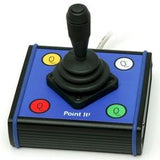
Point-It Classic has four flat membrane buttons (some finger dexterity required) to operate mouse button functions left-click, double-click, right-click, and mouse speed. 3.5mm jack sockets allow connection of a wide variety of ability switches for Sip-n-Puff, Bite, Foot, opposite hand, elbow, finger twitch, etc. for those who find it difficult to operate the buttons on the unit itself. The Drag-Lock feature allows a user to drag without having to keep the left button pressed.
On-Point features 3 large 1.5 inch diameter arcade style buttons arranged ergonomically for someone with limited dexterity such as a quadriplegic so you can easily activate left-click, right-click, and middle/scroll/drag with base of your hand or the side of your pinky finger knuckles. Joystick and button layout is for right handed users by default. It is possible to rearrange the button layout or rotate the joystick 90 degrees to support left handed user. 3 Jacks for external ability switches can be added on special request.
Wireless Bluetooth
The Bluetooth versions can connect to Windows PCs, Macs, Android, and Apple iOS v13, v14, v15, v16+. Special tablet and smartphone features include shortcut and action keys such as Home, Menu, Back, Drag lock, and more.
*Point-It Pro can be paired with up to 8 devices and includes a special Smart Mode that enables you to choose which device you want to control by simply pressing a dedicated switch or flicking your joystick right.
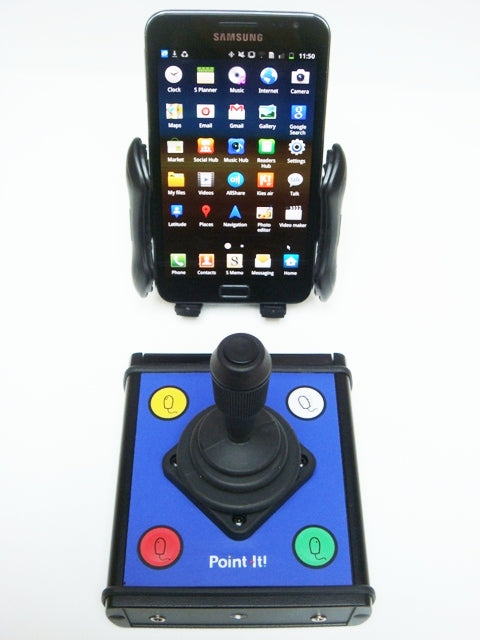
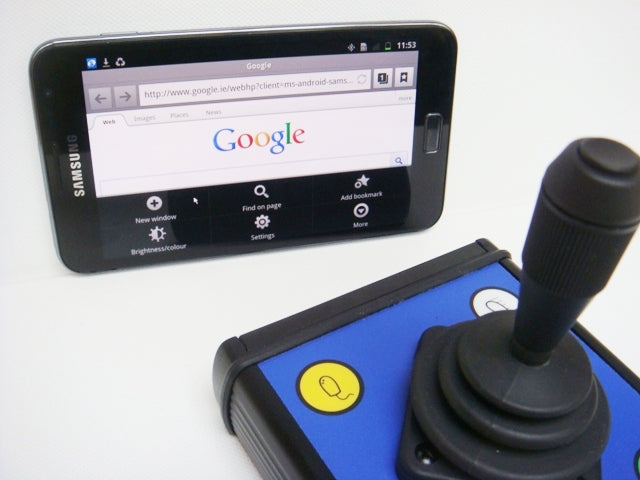
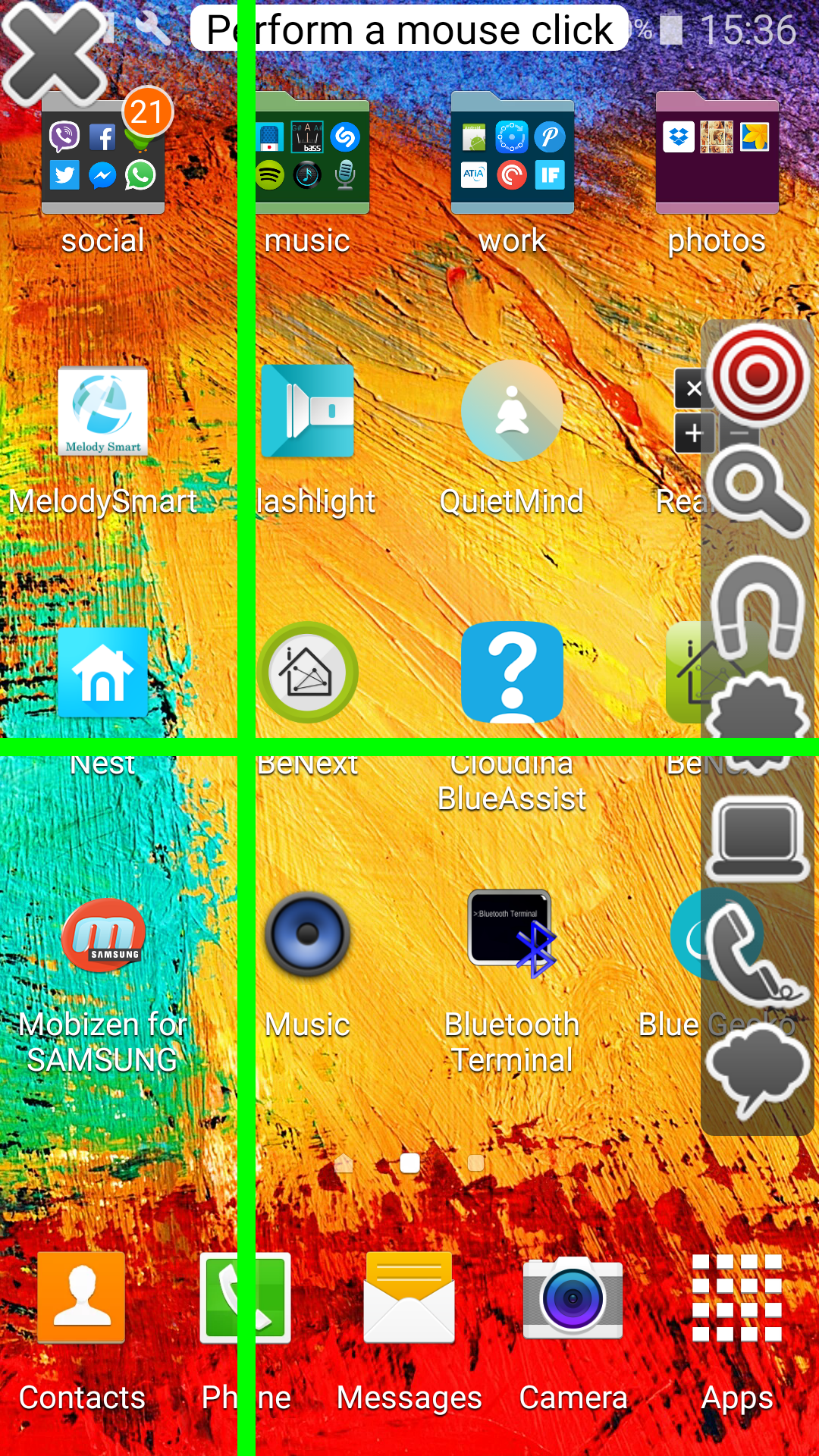
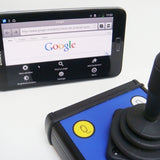
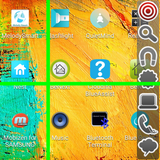
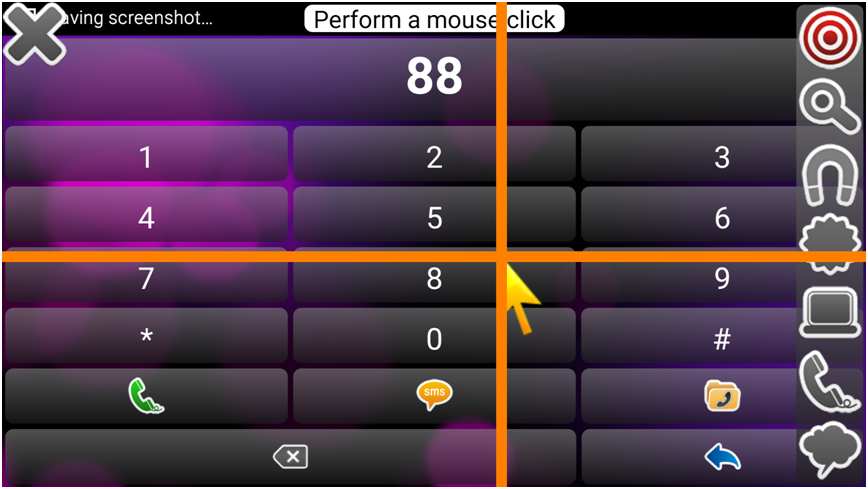
Point-It Classic Bluetooth is pictured paired with a Samsung Galaxy Note. You can see the mouse pointer in the bottom left of the screen over the menu commands.
On-Point can utilize an external bluetooth box to switch between 8 devices. Switch between laptop, tablet, smartphone, Smart TV, etc. Advantageously, at your desk you never have to worry about recharging a battery. Tap the top center 3/4" button to switch between devices sequentially. Optionally add an external 4 or 8 button USB keypad to switch directly to any of the 8 devices. An Alexa voice activated mini robot button pusher is available to switch between devices by voice command or smartphone app.
For users who require portability with no wires, On-Point can be built with bluetooth inside with a large 24hr+ rechargeable lithium battery.
Wired USB
Simply plug into any Windows PC, Mac, Linux, Android or version 14+ Apple iOS device and never worry about charging batteries. With Pro, the switch inputs for left and right clicks can also be programmed for different mouse functions such as changing mouse speeds or performing drag operations.
Interchangeable Knobs / Handles
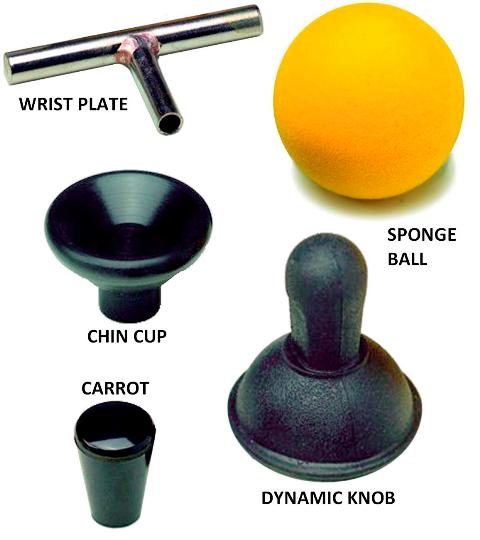
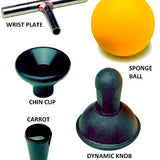
Both Pro and Classic versions of Point-it are available with a left-click switch on top of the joystick shaft or interchangeable knobs including a removable black plastic ball knob, sponge ball, conical chin cup, wrist plate T-bar, dynamic knob, or carrot knobs are available separately on special request.
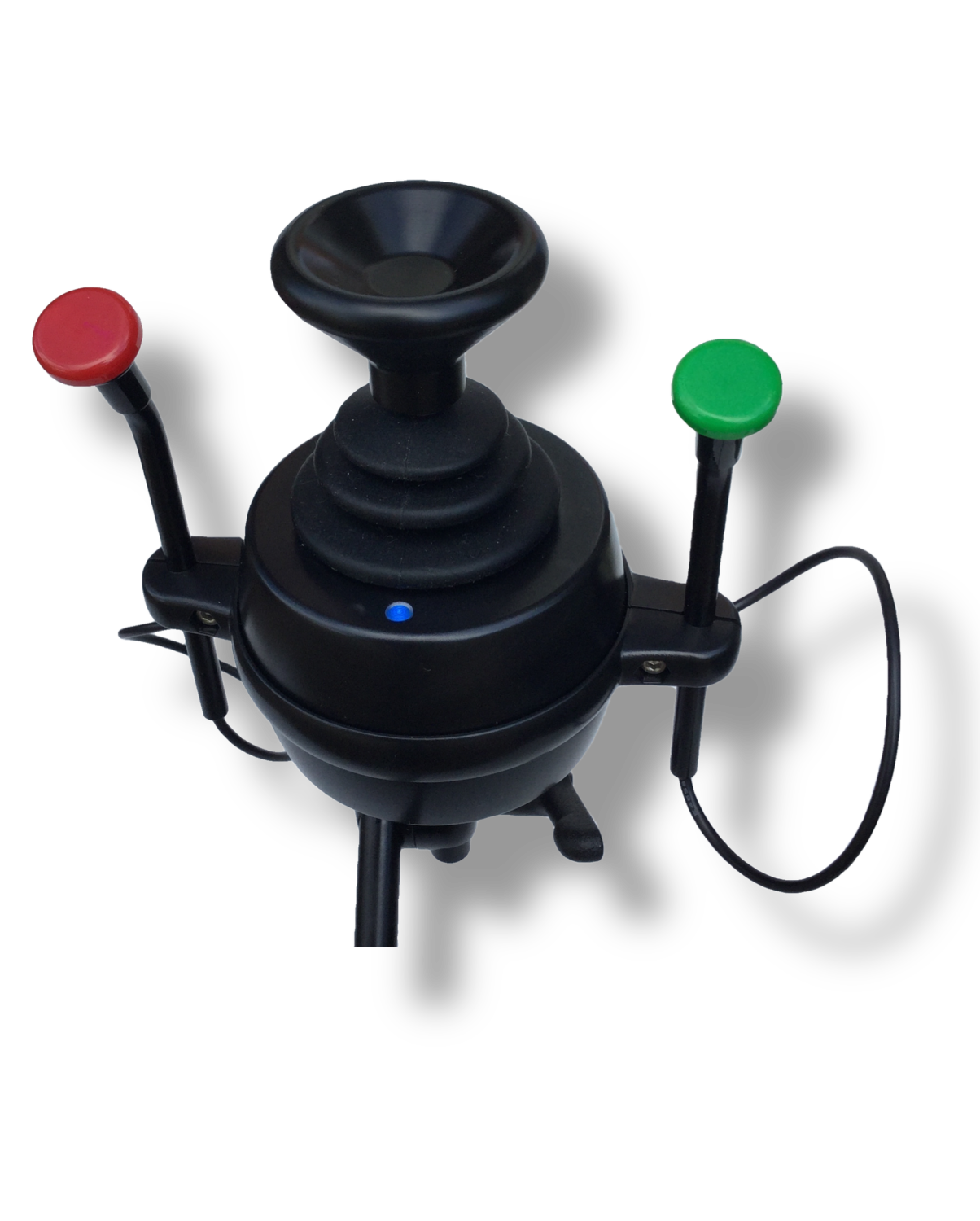
On-Point features a stainless-steel joystick shaft with M8 threads that a variety of different knobs and handles can be screwed on interchangeably. A red smooth arcade ball for users with some fingered dexterity, a textured red rubber ball provides grip for users with no fingered dexterity, a blue cowhorn, or On-Point Can be built with a FlightStick handle with red thumb and index finger buttons at the top. The FlightStick is NOT interchangeable with other joystick knobs.
Recommended Mounting (see below)
- Stiff-arm Mount with 3rd Arm 2" Plate Ball Top to hold Pro
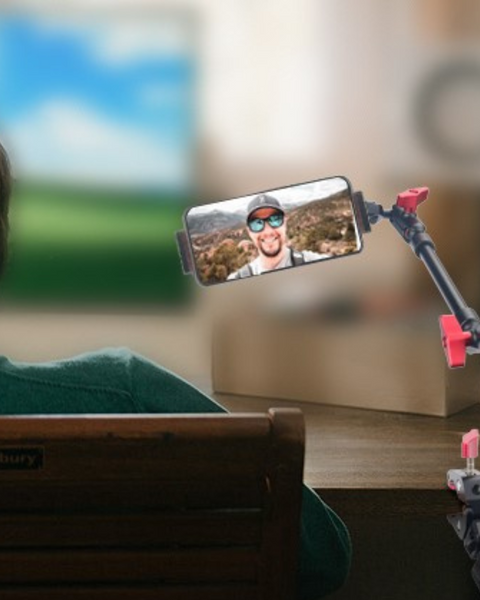
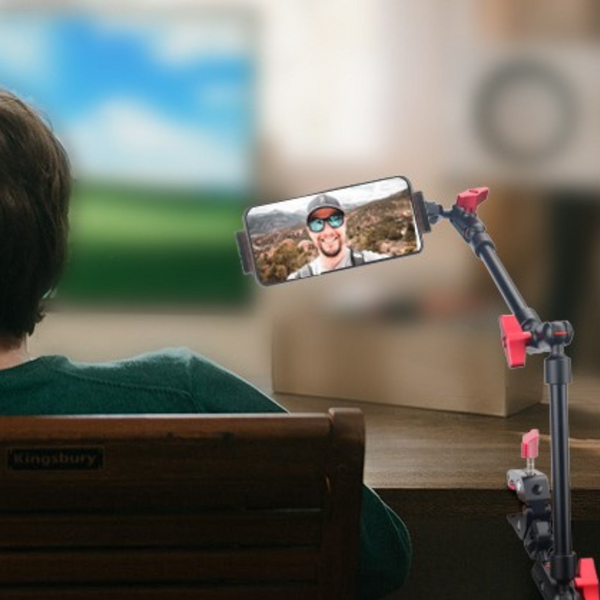
- Robo Am Mount to hold your laptop, tablet, or smartphone on your wheelchair and bed at just the right position and angle
Recommended Ability Switches
- Sip-n-Puff Switches with Anti contamination mouthpieces and Tubing Kit
- Roughneck Single or Dual Pushbutton Switches
- Dual Muscle Sensor Switches
- Triple Foot Switches
- Two Twister Switches
- See our Ability Switch Category for many others
Dwell Click
On-Point USB as a HID Game Controller
- Program in two clicks with a simple app to become a joystick game controller like our UA3 (Ultimate Arcade 3) for Microsoft Xbox Access Controller Game Controller or PC or Hori Flex.
- Use 1 Onpoint for simple games that only require one analog or digital joystick and 4 buttons on Windows PC, Android.
- Microsoft Access Controller - plug both a right-handed and left handed On-point for full compatibility with two analog joysticks and 8 buttons for most console games with with any Xbox Series X|S or Xbox One, including Xbox backward compatible titles. Also works with any Windows PC game that supports the Xbox Wireless Controller. Plug Microsoft Access Controller into Cronus Zen to use with PS5, PS4, PS3, Nintendo Switch & Wii
- Use with Titan 2 universal game console adapter for dual On-point compatibility with PS5, Xbox Series X/S, PS4, Xbox One, PS3, Xbox 360, Nintendo Switch & Wii, Windows PC, Android, and Apple iOS
Add-on Options or Complementary
-

Point-It! Joystick Mouse (This item)
$47,351.00
-
Friction Arm Mount
$8,486.00
-
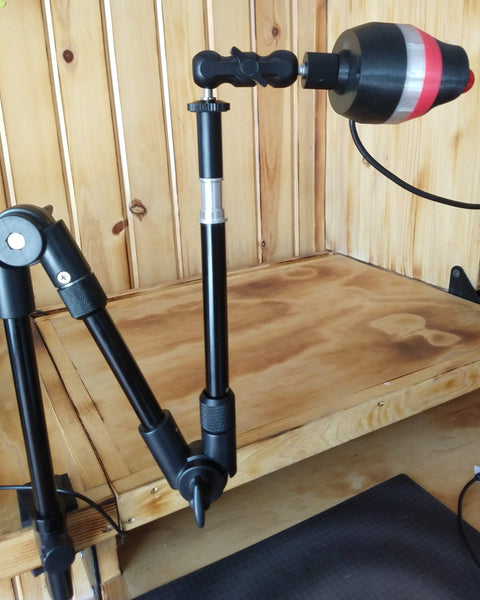
Stiff Arm Mount
$6,619.00

Description
The attractive, rugged joystick is an extremely high-quality non-contacting type found on powered wheelchairs and is available in a choice of top push-button that operates as a left mouse click or with a removable black ball that can be replaced by 5 optional knobs.
Point-it is designed for disabled individuals who have limited or no hand dexterity. It can be operated with the palm of the hand not requiring any finger function, or with a chin.
For most disabled individuals, mounting and positioning can be critical to success. The classic version can simply sit on a desktop. The Point-It! Pro has threaded mounting points in its base, so it can be attached to a Stiff Arm Mount or Robo Arm Mount and positioned effectively for hand or chin, or mouth control. It can be mounted on the edge of a desk to extend alongside the user's own power wheelchair joystick controls or wheelchair armrest close to a user or operated on a desktop.
Inclusive is an authorized dealer distributor with permission and capabilities to service and repair in the United States without having to ship back to Europe. Though this has only ever occurred once! These are very reliable!
| Point-It Pro | Point-It Classic | On-Point Big Button | |
| User Manual | User Manual | User Manual | |
| Compatibility | PC, MAC, Android or iOS v13+ | PC, MAC, Android or iOS v13+ | PC, MAC, Android or iOS v13+ |
| Connectivity | Wireless Bluetooth or USB | Wireless Bluetooth or USB | Wireless Bluetooth or USB |
| Built-in buttons | 1 on Joystick Top or none | 1 on Joystick Top & 4 Membrane on face | 3 Large Arcade or 2 on Flightstick |
| Ability Switch Jacks | 2 - Left + Right Click | 2 - Left + Right Click | No --- Optional 3 Lt, Rt, Mid |
| Switch between PC/Mac, Smartphone, Tablet, or Smart TV | Up to 8 Devices | Turn off 1st device to connect to 2nd | Up to 8 Devices with External Switchbox |
| Li-Polymer Battery | 6 hours of constant use | Optional Internal 24hr+ | |
| Dimensions | 3" x 4.5" x 4.5" (75 x 115 x 115 mm) |
4.5" x 4.2" x 5" (115 x 105 x 127mm) |
4.5" x 4.5" x 5" (114x114x127mm) |
| Positioning | Mount for Mouth, Chin or Hand with 2 M4 Screws | Mount for Mouth, Chin or Hand with 2 M4 Screws | Mount with adhesive velcro or double-face tape |
Buttons and Ability Switches
Both Pro or Classic support 2 external Ability Switches - left-click and right-click. On Pro, left-click can alternatively be programmed as drag, middle-click, or double-click. Pro right-click can alternatively switch between up to 8 devices in smart mode or change mouse speeds.
Point-It Classic has four flat membrane buttons (some finger dexterity required) to operate mouse button functions left-click, double-click, right-click, and mouse speed. 3.5mm jack sockets allow connection of a wide variety of ability switches for Sip-n-Puff, Bite, Foot, opposite hand, elbow, finger twitch, etc. for those who find it difficult to operate the buttons on the unit itself. The Drag-Lock feature allows a user to drag without having to keep the left button pressed.
On-Point features 3 large 1.5 inch diameter arcade style buttons arranged ergonomically for someone with limited dexterity such as a quadriplegic so you can easily activate left-click, right-click, and middle/scroll/drag with base of your hand or the side of your pinky finger knuckles. Joystick and button layout is for right handed users by default. It is possible to rearrange the button layout or rotate the joystick 90 degrees to support left handed user. 3 Jacks for external ability switches can be added on special request.
Wireless Bluetooth
The Bluetooth versions can connect to Windows PCs, Macs, Android, and Apple iOS v13, v14, v15, v16+. Special tablet and smartphone features include shortcut and action keys such as Home, Menu, Back, Drag lock, and more.
*Point-It Pro can be paired with up to 8 devices and includes a special Smart Mode that enables you to choose which device you want to control by simply pressing a dedicated switch or flicking your joystick right.
Point-It Classic Bluetooth is pictured paired with a Samsung Galaxy Note. You can see the mouse pointer in the bottom left of the screen over the menu commands.
On-Point can utilize an external bluetooth box to switch between 8 devices. Switch between laptop, tablet, smartphone, Smart TV, etc. Advantageously, at your desk you never have to worry about recharging a battery. Tap the top center 3/4" button to switch between devices sequentially. Optionally add an external 4 or 8 button USB keypad to switch directly to any of the 8 devices. An Alexa voice activated mini robot button pusher is available to switch between devices by voice command or smartphone app.
For users who require portability with no wires, On-Point can be built with bluetooth inside with a large 24hr+ rechargeable lithium battery.
Wired USB
Simply plug into any Windows PC, Mac, Linux, Android or version 14+ Apple iOS device and never worry about charging batteries. With Pro, the switch inputs for left and right clicks can also be programmed for different mouse functions such as changing mouse speeds or performing drag operations.
Interchangeable Knobs / Handles
Both Pro and Classic versions of Point-it are available with a left-click switch on top of the joystick shaft or interchangeable knobs including a removable black plastic ball knob, sponge ball, conical chin cup, wrist plate T-bar, dynamic knob, or carrot knobs are available separately on special request.
On-Point features a stainless-steel joystick shaft with M8 threads that a variety of different knobs and handles can be screwed on interchangeably. A red smooth arcade ball for users with some fingered dexterity, a textured red rubber ball provides grip for users with no fingered dexterity, a blue cowhorn, or On-Point Can be built with a FlightStick handle with red thumb and index finger buttons at the top. The FlightStick is NOT interchangeable with other joystick knobs.
Recommended Mounting (see below)
- Stiff-arm Mount with 3rd Arm 2" Plate Ball Top to hold Pro
- Robo Am Mount to hold your laptop, tablet, or smartphone on your wheelchair and bed at just the right position and angle
Recommended Ability Switches
- Sip-n-Puff Switches with Anti contamination mouthpieces and Tubing Kit
- Roughneck Single or Dual Pushbutton Switches
- Dual Muscle Sensor Switches
- Triple Foot Switches
- Two Twister Switches
- See our Ability Switch Category for many others
Dwell Click
On-Point USB as a HID Game Controller
- Program in two clicks with a simple app to become a joystick game controller like our UA3 (Ultimate Arcade 3) for Microsoft Xbox Access Controller Game Controller or PC or Hori Flex.
- Use 1 Onpoint for simple games that only require one analog or digital joystick and 4 buttons on Windows PC, Android.
- Microsoft Access Controller - plug both a right-handed and left handed On-point for full compatibility with two analog joysticks and 8 buttons for most console games with with any Xbox Series X|S or Xbox One, including Xbox backward compatible titles. Also works with any Windows PC game that supports the Xbox Wireless Controller. Plug Microsoft Access Controller into Cronus Zen to use with PS5, PS4, PS3, Nintendo Switch & Wii
- Use with Titan 2 universal game console adapter for dual On-point compatibility with PS5, Xbox Series X/S, PS4, Xbox One, PS3, Xbox 360, Nintendo Switch & Wii, Windows PC, Android, and Apple iOS
F.A.Q
We will send tracking information to the e-mail address associated with your order once the item has shipped. If you have not received your tracking information and it has been over 2 business day, please contact us at (012) 123 - 4567
Related Products
Recently Viewed
Recently Wishlisted
Add on optional description to this section
Let customers speak for us

I’ll write something later, I’m still learning to work it efficiently.

Excellent
Excellent

This is at least the second of this model. My daughter has a power chair and uses it to get more time to use her iPad.

Excellent
Excellent


My son was paralyzed in an atv accident Aug 2020. He is 6'3" and 250. His injury is c6-c7. He feels so free and relaxed in the water but nobody had anything but regular life jackets so we would have to add a pool noodle to support his head and neck and a square flat float to hug in front. We also had a problem because he isn't a small man. Nothing that would allow his arms free so he could get some exercise. This life jacket has helped a lot. There are a few tweaks with the neck and crotch straps. If they weren't tight enough in the crotch area then his head could slip lower even though we had the neck piece as secured as we could. But the crotch straps when tightened too much they would be a little irritating and cause Autonomic Dysreflexia. I think I will try adding a pad of some sort around the straps. That was the only issue other than the cost, but we would pay anything to see that smile on his face! Now we just need to buy a pool for our own backyard so we don't have to go on vacation to swim. Thank You! I would highly recommend this life jacket. From a very happy mom that cried with happiness to see her son in a pool and able to move around.
I use it today for the first time. My son love it!

My husband who had been diagnosed with Bulbar ALS disease for 2 years at the age of 63 had all his symptoms reversed with Ayurveda medicine from naturalherbscentre. com after undergoing their ALS/MND natural protocol, he no longer requires a feeding tube. God Bless all Lou Gehrig’s disease Caregivers. Stay Strong, take small moments throughout the day to thank yourself, to love your self, and pray to whatever faith, star, spiritual force you believe in and ask for strength. I can personally vouch for these remedy but you would probably need to decide what works best for you.

I used a comfort carrier @ Disney and lost the case

RoboHandle Ergonomic Tool Handle


