




Broadened Horizons
Learning Infrared AC Wall Outlet Controller with Remote
EcF0167.a
£65.00
Store Availability
✓ Available for pickup
-
Inclusive Homebase - N Fort Myers Florida
2145 Cape Way, 33917, North Fort Myers, United StatesUsually ready in 24 hours
-
Designed by the Disabled
for the Disabled -
100% Satisfaction
Guarantee -
Lowest Cost Shipping
Quoted in Cart
Works with any infrared remote or environmental controller ECU that can control infrared devices such as a TV, including Permobil Electric Wheelchair Controllers (and many other brands), augmentative communication devices such as Tobii
Features:
-
Control lamps, fans, older style radios or TVs without a remote - virtually any electrical device or appliance you plug into an outlet
-
Controls up to three lamps or devices simultaneously (all controlled together)
-
Learning IR InfraRed remote receiver works with virtually all existing infrared handheld remotes you already have for TV/DVD/Satellite/Cable/etc.
-
Sensitive wide IR reception angle - does not require strict line-of-sight during operation
-
Maximum total power: 110VAC 4.5A 500W for the USA/Canada or 220 VAC 2A 500W International
-
Do not exceed maximum total power or you will damage! Read your device's label. i.e. One 500W compact space heater or 3 100W lamps
-
Includes
- Choice of 110 Volt or 220 Volt Learning Infrared Wall Outlet Controller
- Infrared Remote Control (Pre programmed for your convenience)
- User Guide
Usage:
-
Before starting, you will need any infrared handheld remote such as for your TV or stereo. Choose a button on the remote you rarely or otherwise never use. [Idea: If you have a universal remote, one of its modes, i.e. VCR, that you are not using can be programmed to any device code such as 1111. Then the power button of your universal remote for that VCR mode will control the Infrared ECU AC Wall Outlet Controller.]
-
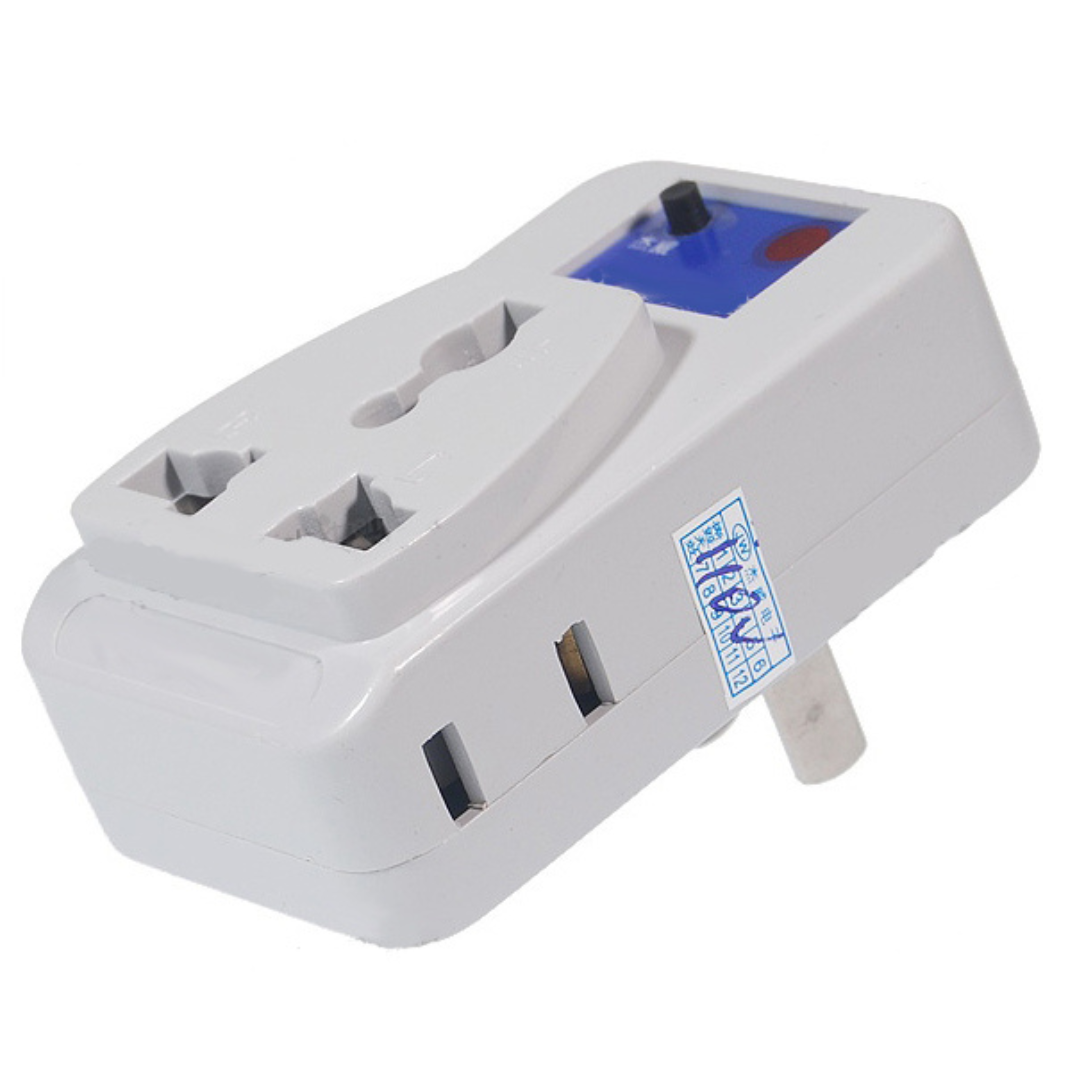
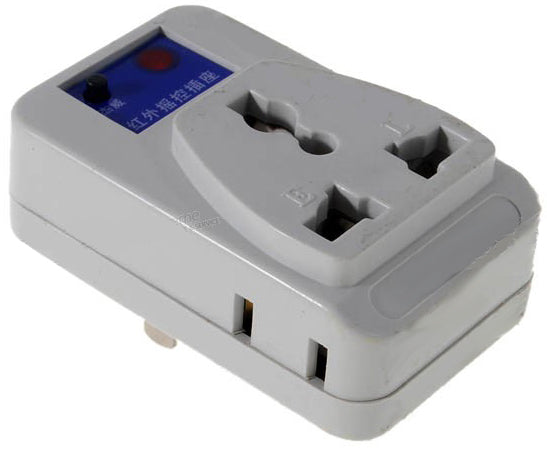
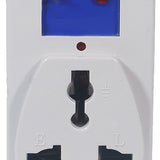
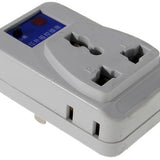
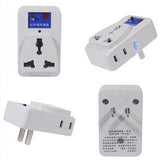
Plug any 110 V device up to 4.5 Amps such as a lamp or fan into the Infrared ECU AC Wall Outlet Controller. The plug on the front accepts polarized and grounded plugs, while the 2 smaller plugs on size will accept small non-polarized plugs. The sockets are universal and will work with most plugs from around the world.
-
Control 1 device or up to three devices simultaneously. All three devices turn on and off together. It is not possible to control the three devices separately or individually.
Training:
-
Push the little black button on the front of the Infrared ECU AC Wall Outlet Controller to turn on the device you have plugged into it. The red LED on the front will be lit.
-
Push and hold the black button. Your device will turn off but then after about 3-5 seconds it will turn back on, then let go of the black button. Now the red LED on the front will be flashing.
-
While the red LED is flashing, push any button on any infrared handheld remote pointing the remote at the Infrared ECU AC Wall Outlet Controller. The controller will learn the infrared signal from your handheld remote and the red LED will go out.
-
Test by pushing the button you just trained on your infrared handheld remote and the device plugged into the controller should turn on and off. Finally, if using the Infrared ECU AC Wall Outlet Controller with an environmental controller (ECU) such as the VoiceIR Environmental Voice Control System VoiceMe, use the button you just trained on your infrared handheld remote to train your ECU.
User Manual - PDF


Description
Works with any infrared remote or environmental controller ECU that can control infrared devices such as a TV, including Permobil Electric Wheelchair Controllers (and many other brands), augmentative communication devices such as Tobii
Features:
-
Control lamps, fans, older style radios or TVs without a remote - virtually any electrical device or appliance you plug into an outlet
-
Controls up to three lamps or devices simultaneously (all controlled together)
-
Learning IR InfraRed remote receiver works with virtually all existing infrared handheld remotes you already have for TV/DVD/Satellite/Cable/etc.
-
Sensitive wide IR reception angle - does not require strict line-of-sight during operation
-
Maximum total power: 110VAC 4.5A 500W for the USA/Canada or 220 VAC 2A 500W International
-
Do not exceed maximum total power or you will damage! Read your device's label. i.e. One 500W compact space heater or 3 100W lamps
-
Includes
- Choice of 110 Volt or 220 Volt Learning Infrared Wall Outlet Controller
- Infrared Remote Control (Pre programmed for your convenience)
- User Guide
Usage:
-
Before starting, you will need any infrared handheld remote such as for your TV or stereo. Choose a button on the remote you rarely or otherwise never use. [Idea: If you have a universal remote, one of its modes, i.e. VCR, that you are not using can be programmed to any device code such as 1111. Then the power button of your universal remote for that VCR mode will control the Infrared ECU AC Wall Outlet Controller.]
-
Plug any 110 V device up to 4.5 Amps such as a lamp or fan into the Infrared ECU AC Wall Outlet Controller. The plug on the front accepts polarized and grounded plugs, while the 2 smaller plugs on size will accept small non-polarized plugs. The sockets are universal and will work with most plugs from around the world.
-
Control 1 device or up to three devices simultaneously. All three devices turn on and off together. It is not possible to control the three devices separately or individually.
Training:
-
Push the little black button on the front of the Infrared ECU AC Wall Outlet Controller to turn on the device you have plugged into it. The red LED on the front will be lit.
-
Push and hold the black button. Your device will turn off but then after about 3-5 seconds it will turn back on, then let go of the black button. Now the red LED on the front will be flashing.
-
While the red LED is flashing, push any button on any infrared handheld remote pointing the remote at the Infrared ECU AC Wall Outlet Controller. The controller will learn the infrared signal from your handheld remote and the red LED will go out.
-
Test by pushing the button you just trained on your infrared handheld remote and the device plugged into the controller should turn on and off. Finally, if using the Infrared ECU AC Wall Outlet Controller with an environmental controller (ECU) such as the VoiceIR Environmental Voice Control System VoiceMe, use the button you just trained on your infrared handheld remote to train your ECU.
User Manual - PDF
F.A.Q
We will send tracking information to the e-mail address associated with your order once the item has shipped. If you have not received your tracking information and it has been over 2 business day, please contact us at (012) 123 - 4567
Related Products
Recently Viewed
Recently Wishlisted
Add on optional description to this section
Let customers speak for us

I’ll write something later, I’m still learning to work it efficiently.

Excellent
Excellent

This is at least the second of this model. My daughter has a power chair and uses it to get more time to use her iPad.

Excellent
Excellent


My son was paralyzed in an atv accident Aug 2020. He is 6'3" and 250. His injury is c6-c7. He feels so free and relaxed in the water but nobody had anything but regular life jackets so we would have to add a pool noodle to support his head and neck and a square flat float to hug in front. We also had a problem because he isn't a small man. Nothing that would allow his arms free so he could get some exercise. This life jacket has helped a lot. There are a few tweaks with the neck and crotch straps. If they weren't tight enough in the crotch area then his head could slip lower even though we had the neck piece as secured as we could. But the crotch straps when tightened too much they would be a little irritating and cause Autonomic Dysreflexia. I think I will try adding a pad of some sort around the straps. That was the only issue other than the cost, but we would pay anything to see that smile on his face! Now we just need to buy a pool for our own backyard so we don't have to go on vacation to swim. Thank You! I would highly recommend this life jacket. From a very happy mom that cried with happiness to see her son in a pool and able to move around.
I use it today for the first time. My son love it!

My husband who had been diagnosed with Bulbar ALS disease for 2 years at the age of 63 had all his symptoms reversed with Ayurveda medicine from naturalherbscentre. com after undergoing their ALS/MND natural protocol, he no longer requires a feeding tube. God Bless all Lou Gehrig’s disease Caregivers. Stay Strong, take small moments throughout the day to thank yourself, to love your self, and pray to whatever faith, star, spiritual force you believe in and ask for strength. I can personally vouch for these remedy but you would probably need to decide what works best for you.

I used a comfort carrier @ Disney and lost the case

RoboHandle Ergonomic Tool Handle


